How to Sign Up
From our website:
Login to your account (upper right corner)
Go to Meets - Swim Meets (select the meet you will be attending)
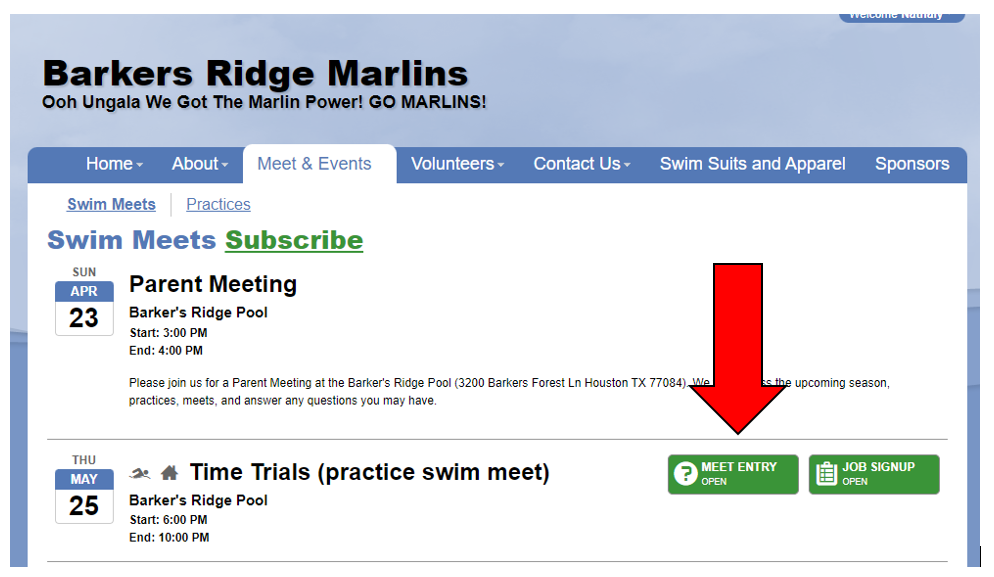
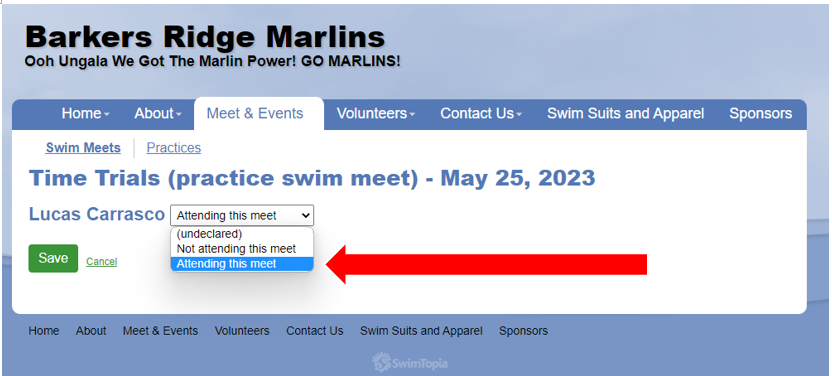
Complete "Meet Entry", select if your swimmer is "Attending or Not Attending"
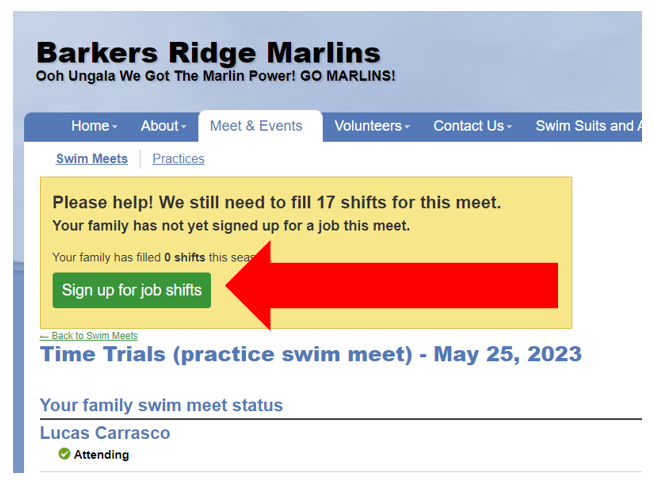
Complete "Job Sign-Up" for the volunteer shifts
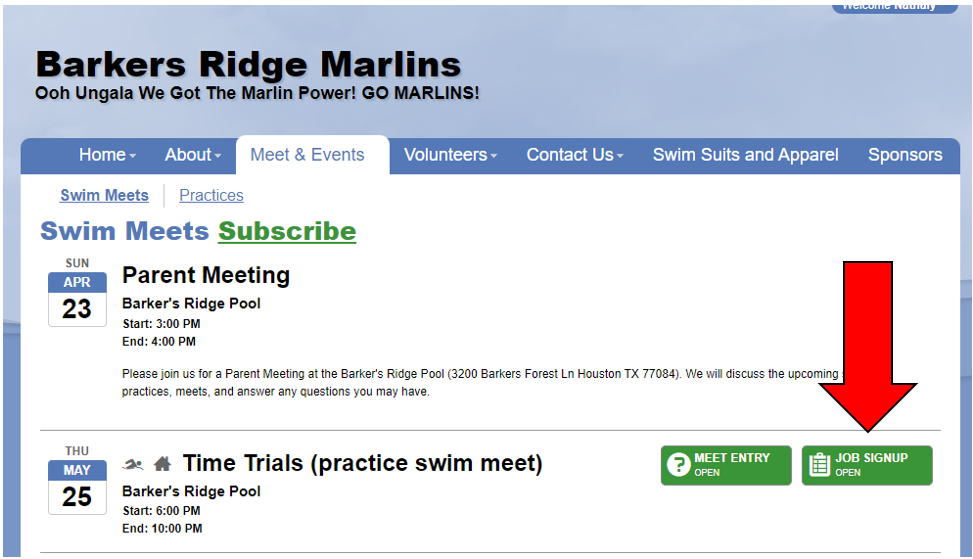
or Click on a "Job Sign-Up" directly from the Meets tab for a meet you would like to volunteer at
Choose from yourself or your spouse to "sign-up for jobs"
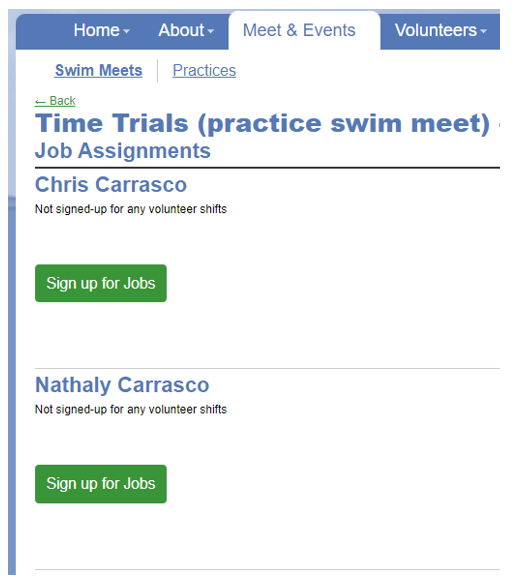
Click on what job you would like. If you hover your mouse over the "i", you can see what the job description is.
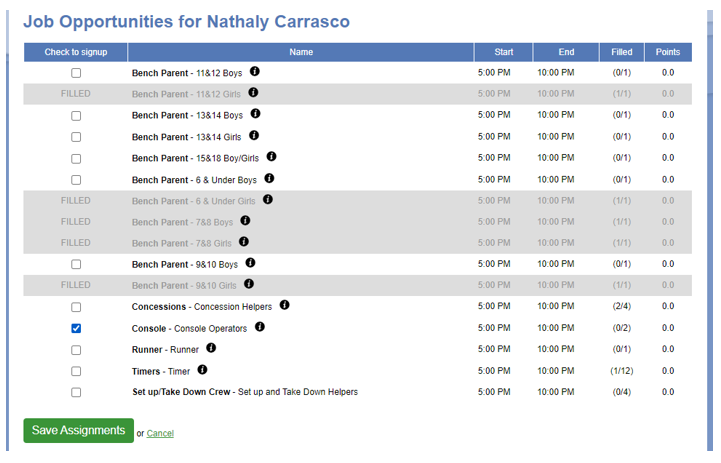
Go to the bottom of the page and "save assignments"
Video Tutorial in English: Screencastify
Video Tutorial in Spanish: Screencastify
Text Area
Simple formatted text